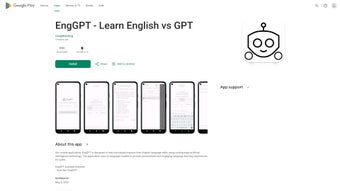

Download ChatEngGPT – AI‑Powered English Learning Tool, Free, Secure, Windows, Mac, Android, iOS
Overview
ChatEngGPT is a web‑based, AI‑driven English learning platform that redefines how learners practice reading, writing, and speaking. Powered by the latest transformer language models, the application delivers instant, context‑aware feedback, precise grammar corrections, and tailor‑made exercises that evolve with each user’s proficiency level. Whether you are a beginner struggling with basic sentence structure or an advanced scholar polishing academic prose, ChatEngGPT offers a clean, distraction‑free interface that keeps the focus on learning outcomes.
The platform follows a privacy‑first philosophy: all user data is encrypted in transit and at rest, and no personal writing content is ever sold or shared with third parties. This commitment gives learners the confidence to experiment, make mistakes, and grow without fear of exposure. Continuous development cycles introduce fresh features such as interactive translation, AI‑generated lesson plans, and a suggestion engine that proposes richer vocabulary and smoother phrasing.
These updates are rolled out automatically, ensuring that every session benefits from the most recent improvements without requiring manual downloads or installations. In addition to individual learners, educators and corporate training departments can take advantage of an enterprise tier that provides admin dashboards, bulk user management, and detailed compliance reporting. Overall, ChatEngGPT combines cutting‑edge AI, rigorous security, and a user‑centric design to create a living tutor that stays relevant in the fast‑moving world of language education.
Key Features That Set ChatEngGPT Apart
- Real‑time Grammar Correction: Instantly spot and fix errors as you type, with clear explanations that teach the rule behind each correction.
- AI‑Powered Translation: Switch seamlessly between English and over 20 languages, allowing you to compare structures and expand vocabulary.
- Personalized Exercise Generator: The system analyses your recent mistakes and creates targeted drills that focus on weak spots.
- Suggestion Engine: Get contextual word or phrase alternatives to improve fluency and style.
- Mark & Review Tool: Highlight sentences for later review, building a custom “error bank” that you can revisit anytime.
- Interactive Lessons: Short, gamified lessons that blend reading comprehension with writing prompts, all powered by AI.
- Secure Cloud Sync: Progress is saved securely in the cloud, accessible from any device without compromising privacy.
- Continuous Updates: Monthly feature releases that add new exercises, UI tweaks, and performance improvements.
Beyond the listed capabilities, ChatEngGPT’s architecture leverages the same transformer models that power leading conversational agents, ensuring feedback feels natural and context‑aware. The adaptive learning algorithm not only tracks accuracy but also measures response time, automatically scaling difficulty for faster learners while providing extra practice for those who need it. The minimalist UI adopts a fluid design language that works equally well on desktop browsers and mobile touchscreens, eliminating the steep learning curve typical of many educational tools.
Because the service is entirely web‑based, there is no bulky installation; you simply open a browser, log in, and start a session. All data exchanges are encrypted with TLS 1.3, and the backend runs on secure HTTPS servers that meet industry‑standard security certifications. For organizations, an enterprise tier adds features such as role‑based access control, detailed usage analytics, and compliance reporting, while the free tier remains fully functional for individual learners.
Installation, Usage & Compatibility
Getting started with ChatEngGPT is intentionally frictionless. Follow these steps to launch your personalized English tutor:
Step‑by‑Step Installation
- Visit the official website at chatenggpt.com.
- Click the “Get Started – Free” button to create a new account using an email address or social login (Google, Apple, or Microsoft).
- Verify your email via the link sent to your inbox; this step activates the secure cloud sync feature.
- Once logged in, you’ll be greeted by a dashboard that offers “Quick Start,” “Custom Lesson,” and “Progress Tracker” options.
- Optional: Install the progressive web app (PWA) shortcut on your desktop or mobile home screen for offline access to previously loaded lessons.
First‑Time Usage Tips
After logging in, the “Quick Start” module runs a brief diagnostic: you’ll write a short paragraph on a familiar topic. The AI evaluates your grammar, vocabulary, and sentence complexity, then instantly generates a personalized lesson plan. From there, you can explore the “Translate” tab to compare sentences side‑by‑side, use the “Correct” button for on‑the‑fly edits, or click “Suggestion” for style enhancements. Each interaction is logged, and the system updates your proficiency score in real time. For users who prefer a more structured path, the “Custom Lesson” wizard lets you select specific skill areas—such as business writing or academic essay crafting—and the platform builds a curriculum that aligns with your goals.
Operating System Compatibility
ChatEngGPT runs on any modern browser that supports HTML5, CSS3, and JavaScript ES6. This includes:
- Windows 10, 11 (Edge, Chrome, Firefox)
- macOS Monterey and later (Safari, Chrome, Firefox)
- Linux distributions with recent Chromium‑based browsers
- Android 8.0+ (Chrome, Firefox, or the PWA shortcut)
- iOS 13+ (Safari or the PWA shortcut)
Because the service is cloud‑hosted, performance hinges more on internet speed than on device horsepower. A stable broadband connection (minimum 5 Mbps) ensures real‑time feedback without noticeable latency. For mobile users on limited data plans, the app caches recent lessons locally, allowing offline practice for up to 48 hours before requiring a sync.
Security, Updates & Support
All data transfers are encrypted with industry‑standard TLS 1.3. User credentials are stored as salted hashes, and no personal writing content is sold or shared with advertisers. Updates occur automatically on the server side, so you always benefit from the latest AI model improvements without manual patches. If a major UI overhaul is released, a brief in‑app tour guides you through new features, preserving the seamless learning flow. Should you encounter any issues, a dedicated support portal offers live chat, a searchable knowledge base, and community forums where learners share tips and best practices.
Pros, Cons, FAQ & Final Thoughts
Pros
- Highly accurate AI grammar and style feedback.
- Personalized exercises adapt to individual skill gaps.
- Secure cloud sync with strict privacy policies.
- Cross‑platform compatibility – works on Windows, macOS, Android, iOS, and Linux.
- Free tier offers a generous set of features; premium adds advanced analytics.
- Minimalistic UI reduces distraction, focusing on learning.
- Continuous updates introduce fresh content and improvements.
Cons
- Requires an internet connection for full functionality; offline mode is limited.
- Advanced AI models consume more data, which may affect users on metered connections.
- Free tier limits the number of custom lessons per month.
- While privacy is strong, some enterprises may need on‑premise deployment (not currently offered).
- Speech‑to‑text and pronunciation feedback are not yet integrated.
Frequently Asked Questions
Is ChatEngGPT really free to use?
Yes, the core features—including real‑time grammar correction, translation, and personalized exercises—are available for free. A premium subscription unlocks unlimited custom lessons, advanced analytics, and priority AI processing.
How does ChatEngGPT protect my personal data?
All data is encrypted in transit using TLS 1.3 and stored in secure, GDPR‑compliant servers. The platform never sells or shares your writing content with third parties, and you can delete your account and all associated data at any time.
Can I use ChatEngGPT on my smartphone without installing an app?
Absolutely. ChatEngGPT is a progressive web app, meaning you can access it through any modern mobile browser. For an app‑like experience, you can add a shortcut to your home screen, which enables offline caching of recent lessons.
Does the tool offer speaking or pronunciation feedback?
Currently, ChatEngGPT focuses on reading and writing. The development roadmap includes a speech‑to‑text module for pronunciation assessment, slated for release in the next major update.
What browsers are recommended for the best experience?
Google Chrome, Mozilla Firefox, Microsoft Edge, and Apple Safari (latest versions) are fully supported. Older browsers may experience slower AI response times or reduced UI fidelity.
Conclusion – Take Your English to the Next Level
ChatEngGPT stands out as a robust, AI‑enhanced platform that bridges the gap between traditional language textbooks and modern, interactive learning. Its real‑time feedback, adaptive exercises, and cross‑device accessibility make it an ideal companion for anyone serious about improving English proficiency. Whether you are a student, professional, or lifelong learner, the free tier provides enough depth to get started, while the premium plan scales with your ambitions.
Ready to experience AI‑driven language mastery? Download ChatEngGPT now and begin your personalized English journey today. Secure, up‑to‑date, and backed by a vibrant community of learners, this tool promises measurable progress with every session.



.png)



